A home network set up carelessly stays slow and exposed for years. Twelve careful minutes at the start prevent almost all of it.
Step by Step
- Place the router centrally and elevated — on a shelf, not the floor, and away from thick walls, metal and microwave ovens.
- Connect the router to the modem, power it on, and join the temporary network name printed on its label.
- Open the admin page (the address is on the same label), and immediately change the default admin password.
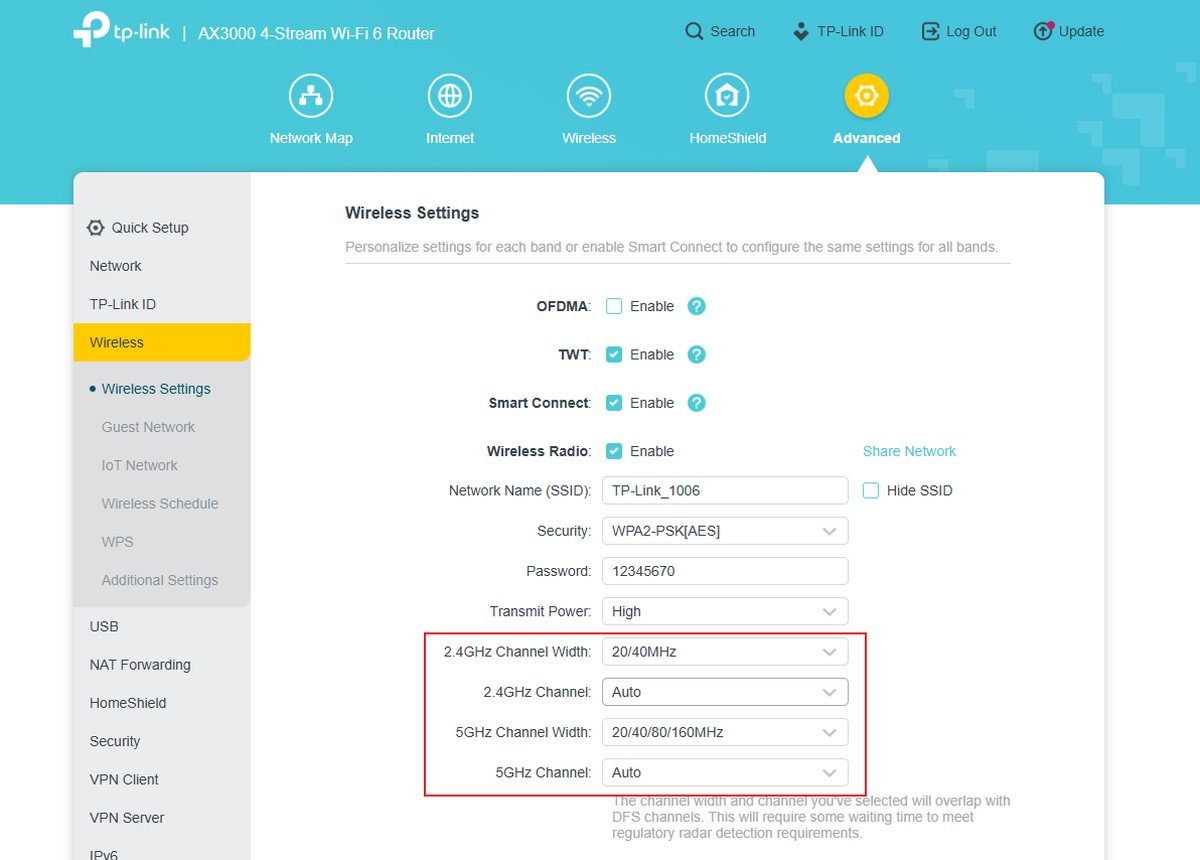
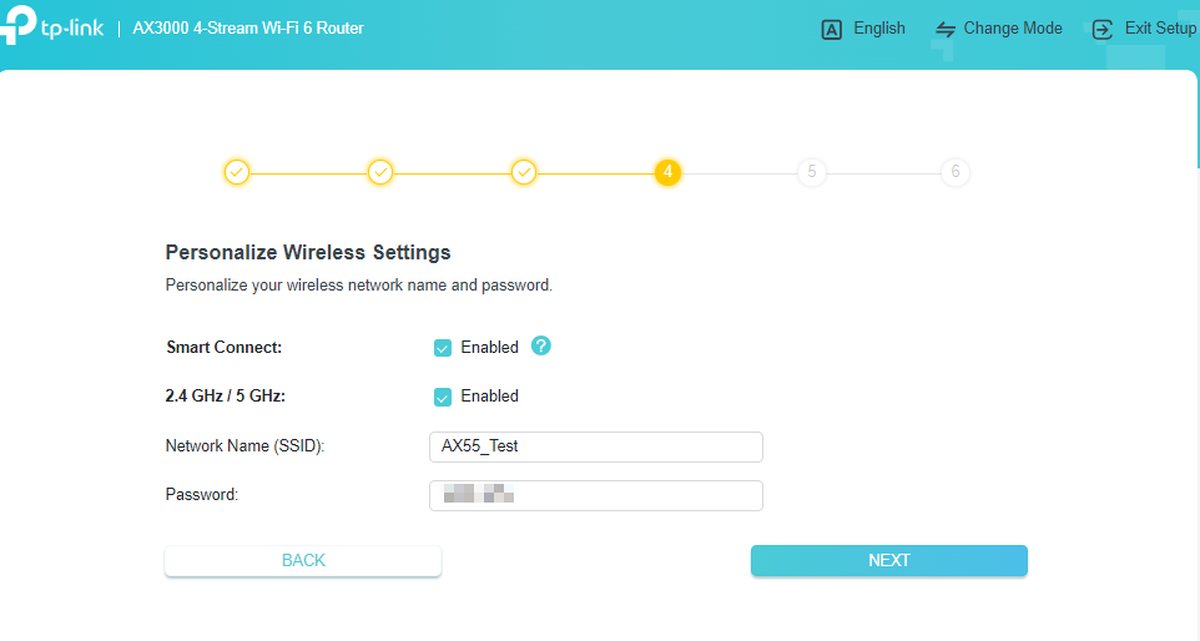
- Set your own network name (SSID) and a long WPA2/WPA3 password — a passphrase of four random words beats a short complex string.
- Enable automatic firmware updates, or set a monthly reminder to check for them manually.
- Walk the house with your phone and note the dead spots; if one room is weak, plan a second access point or mesh node there.
Done right, a home network is invisible: everything connects, everywhere, and stays that way. Most 'bad internet' complaints trace back to skipping these steps.
Enjoying TCBuzz? Get the Briefing.
The five most important tech stories, one tutorial and one fact — in your inbox every weekday morning, free.
You're on the list — please check your inbox to confirm your subscription.
No spam · Unsubscribe in one click · See our Privacy Policy