Every website starts as a plain text file. This tutorial builds a complete personal page — structure first with HTML, then appearance with CSS.
Step by Step
- Create a file named index.html and open it in a text editor and a browser side by side.
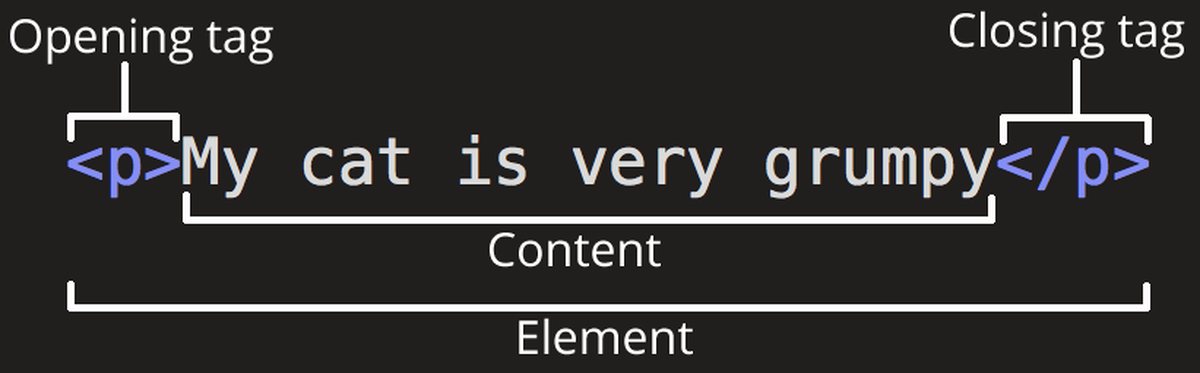
- Add the skeleton: the DOCTYPE declaration, an html element, a head containing a title, and a body for the visible content.
- Inside the body, add an h1 heading, a paragraph about yourself, and a link to a site you like.
- Add an image element with a picture file and an alt text that describes it for screen readers.
- Open a style block in the head: set the body font family, give the heading a color, and add margin so text does not hug the screen edge.
- Save, refresh the browser, and change one value at a time to see exactly what each CSS rule controls.
That is the entire foundation of the web: HTML for structure, CSS for style. Everything fancier — layouts, animations, frameworks — builds on these two files.
Enjoying TCBuzz? Get the Briefing.
The five most important tech stories, one tutorial and one fact — in your inbox every weekday morning, free.
You're on the list — please check your inbox to confirm your subscription.
No spam · Unsubscribe in one click · See our Privacy Policy