Random tweaking rarely fixes Wi-Fi. This routine isolates the bottleneck methodically — modem, router, band, channel or device — in about fifteen minutes.
Step by Step
- Run a speed test next to the router, then again in the problem room. The gap between the two numbers is your Wi-Fi loss.
- Plug a laptop directly into the router with a cable and test again. If wired is also slow, the problem is your line or plan — not Wi-Fi.
- Reboot the modem and router (30 seconds unplugged). This clears the most common temporary faults in one move.
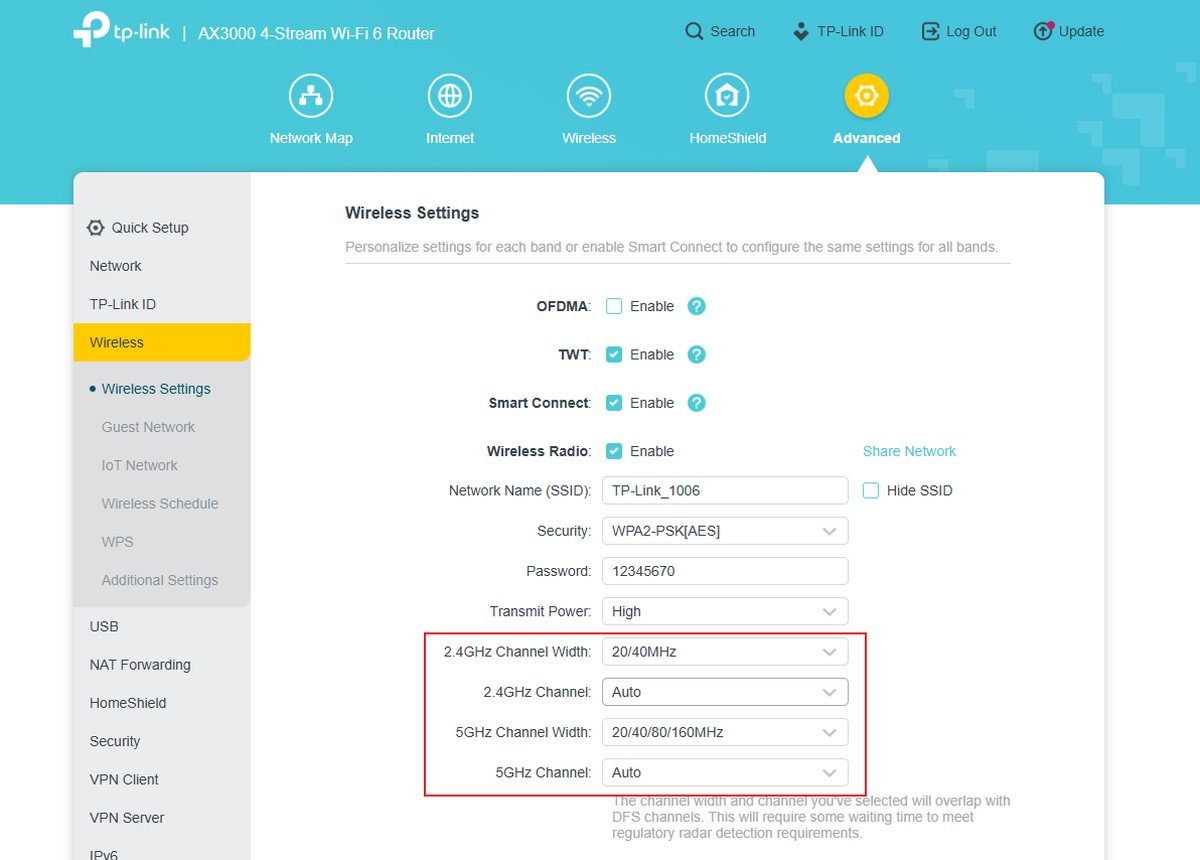
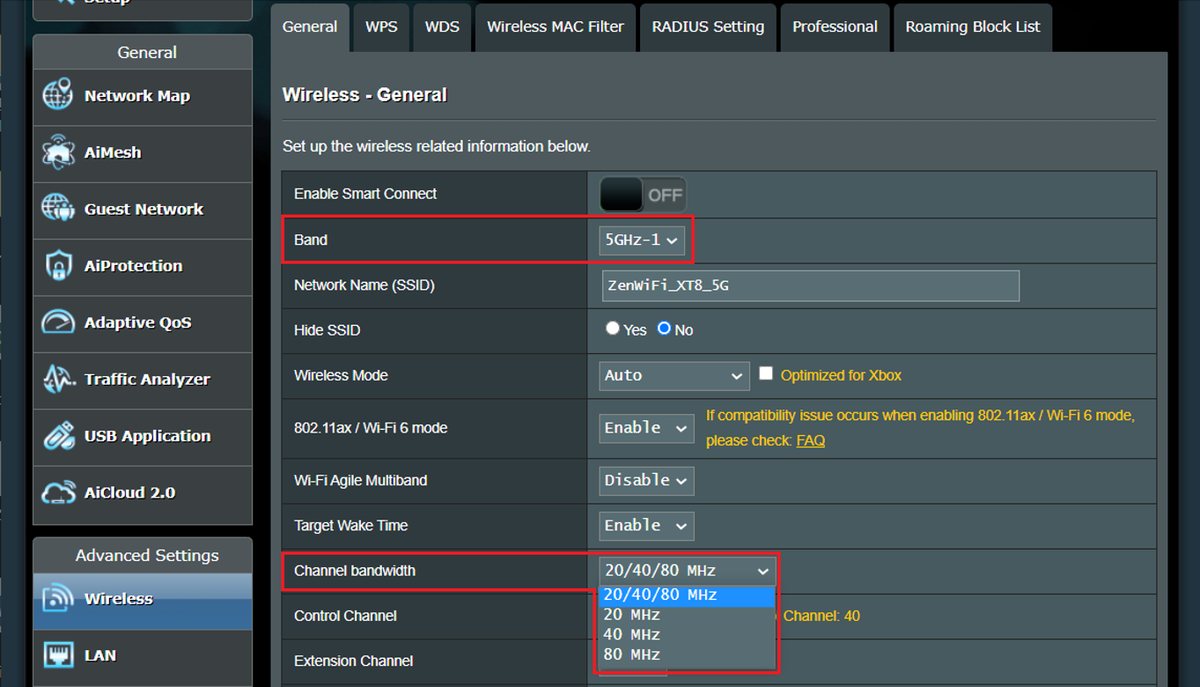
- Split the 2.4 GHz and 5 GHz bands into separate network names, and put nearby devices on 5 GHz for speed.
- Use a Wi-Fi analyzer app to find the least crowded channel, then set it manually in the router settings.
- Retest in the problem room. If one room is still dead, the fix is placement or a mesh node — not settings.
Write down what fixed it. Home networks drift over time, and next time you will solve it in five minutes instead of fifteen.
Enjoying TCBuzz? Get the Briefing.
The five most important tech stories, one tutorial and one fact — in your inbox every weekday morning, free.
You're on the list — please check your inbox to confirm your subscription.
No spam · Unsubscribe in one click · See our Privacy Policy